
What are Custom Tests?
The Custom Tests framework empowers Jira Administrators to creatively develop strictly personalized organizational-governance audits securely analyzing their instances directly inside Smart Admin's trusted, sandbox engine! You get to execute deeply specialized audits without ever provisioning or installing another application!
Data source types
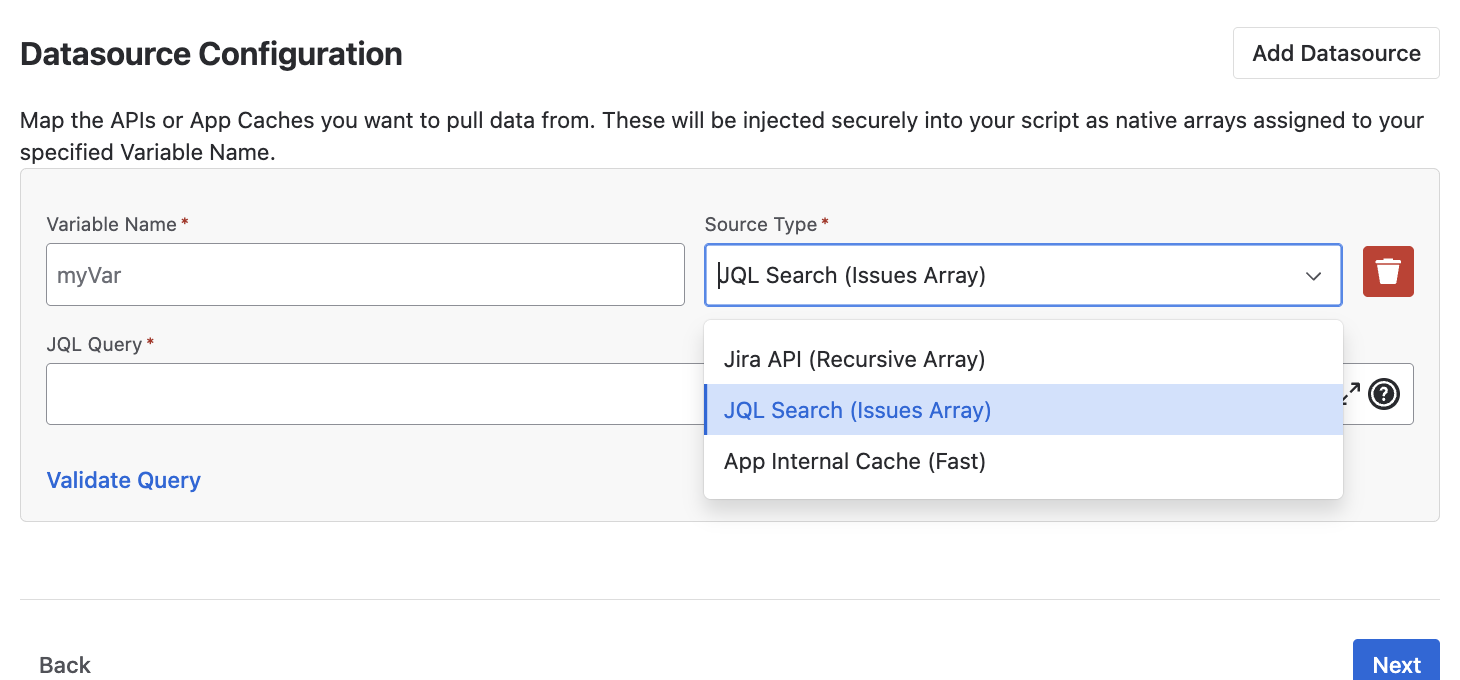
Every custom test requires explicitly configuring where the evaluation data comes from. The framework natively supports three distinct data source variations dynamically:
- JQL Query: Standard Jira Query Language string configurations returning a specific issue array.
- API Call: Execute REST API parameters natively targeting external or internal endpoints and capturing securely serialized array schemas mapped natively out of JSON responses via pagination.
- Pre-cached App Datasets: The fastest option! Instead of explicitly fetching data, securely leverage native arrays the Smart Admin app has inherently pre-fetched identically (for example: utilizing the comprehensive lists of Projects or Custom Fields the primary evaluator inherently processes).
Defining the test logic
Once you pull the data in, you need to code your own test logic. You write native javascript securely inside the sandbox to iterate over the dataset and definitively establish parameter constraints, objects, and exactly what constitutes an acceptable versus bad resulting output!
To effortlessly help you determine exact data structures securely, there is robust in-app help heavily available inside the engine explicitly explaining what structure and specific typed responses are expected out of the test loop to guarantee success.
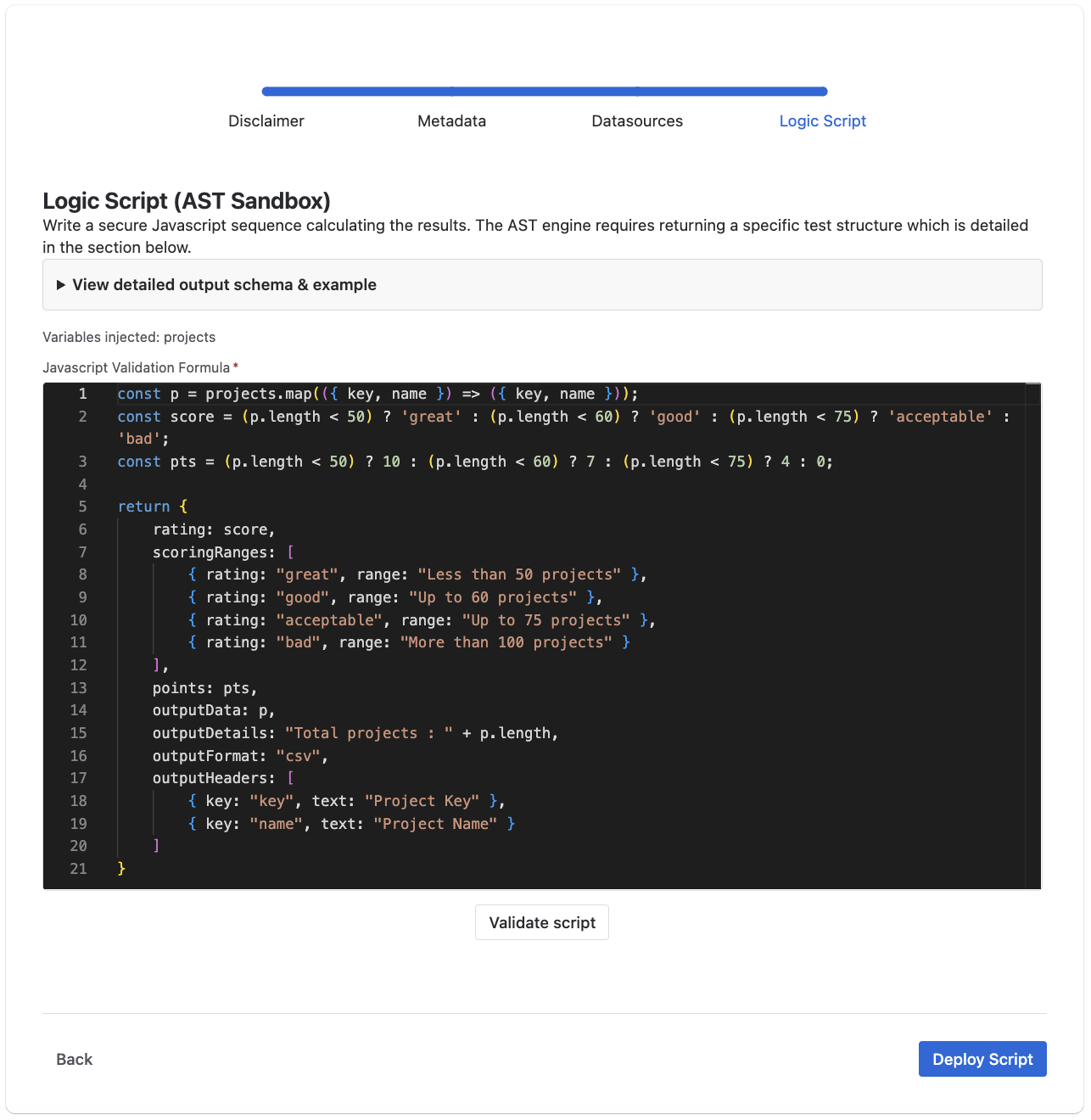
Example: Project Volume Audit
Let's walk through building your first custom test! In this tutorial, we will execute a simple but critical administrative check: Evaluating the total volume of projects deployed in your Jira instance.
Data Extraction
First, we securely map the raw `projects` array native to the sandbox, extracting exclusively the `key` and `name` properties of every individual project into a sanitized array.
Algorithmic Grading
Next, we measure the absolute length of that project array against specific thresholds. If there are fewer than 50 projects, the instance scores a 'great'. Anything over 75 projects triggers a 'bad' flag.
Formatting the Payload
Finally, we assemble the mandatory return loop. We provide our raw data array, explicitly define our grading matrix variables, and map the explicit CSV export column headers.
// 1. Process explicit keys from our raw dataset
const p = projects.map(({ key, name }) => ({ key, name }));

// 2. Evaluate rating based on total count
const score = (p.length < 50) ? 'great' : (p.length < 60) ? 'good' : (p.length < 75) ? 'acceptable' : 'bad';

// 3. Assign internal matrix points accordingly
const pts = (p.length < 50) ? 10 : (p.length < 60) ? 7 : (p.length < 75) ? 4 : 0;

// 4. Return structured manifest payload
return {
    rating: score,
    scoringRanges: [
        { rating: "great", range: "Less than 50 projects" },
        { rating: "good", range: "Up to 60 projects" },
        { rating: "acceptable", range: "Up to 75 projects" },
        { rating: "bad", range: "More than 100 projects" }
    ],
    points: pts,
    outputData: p,
    outputDetails: "Total projects: " + p.length,
    outputFormat: "csv",
    outputHeaders: [
        { key: "key", text: "Project Key" },
        { key: "name", text: "Project Name" }
    ]
};
This custom test fundamentally checks the total number of projects in a Jira instance and correctly formats the resulting output for native downloading within the Smart Admin interface. To ensure consistency across the native report hub, your script must return a structured payload outlining the following:
- rating: Must be one of
"great","good","acceptable", or"bad"to ensure consistency across the native report hub. - scoringRanges: Array defining condition layouts like
{ rating: "great", range: "0 to 9 issues" }rendered locally. - points: A valid number representing the evaluation score (safely capped by your defined global Max Points ceiling natively inside grading metadata).
- outputData: Array of elements/objects mapping the specific entities flagged inside the test for visual display rendering loops.
- outputDetails: Simple text descriptive statistic string to show inline (e.g. "Total issues: 5").
- outputFormat: Specifically dictating how the data renders: e.g.
"csv"or"json"based on current test architectures. - outputHeaders: An array of strings used to fill the first line of the CSV if defined (e.g.
[{ key: "key", text: "Issue Key" }]) identically to natively bundled tests.