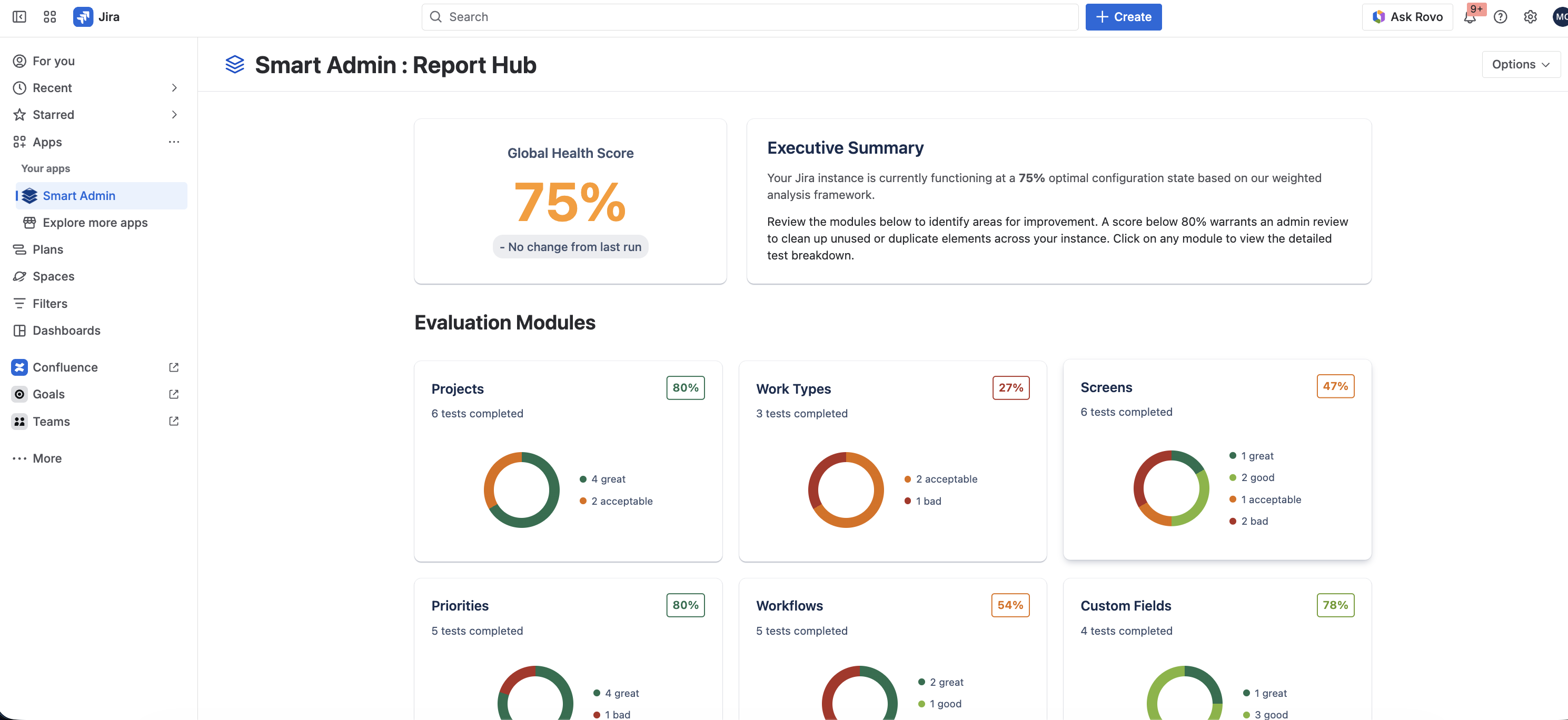
Report Hub and scores
When an analysis calculation finishes, you land directly on the Report Hub. The Report Hub dynamically assigns a global Health Score rating determining your overall instance cleanliness. This global score is mathematically computed by aggregating the success scores of your individual Modules and Tests together.
Modules and Tests details
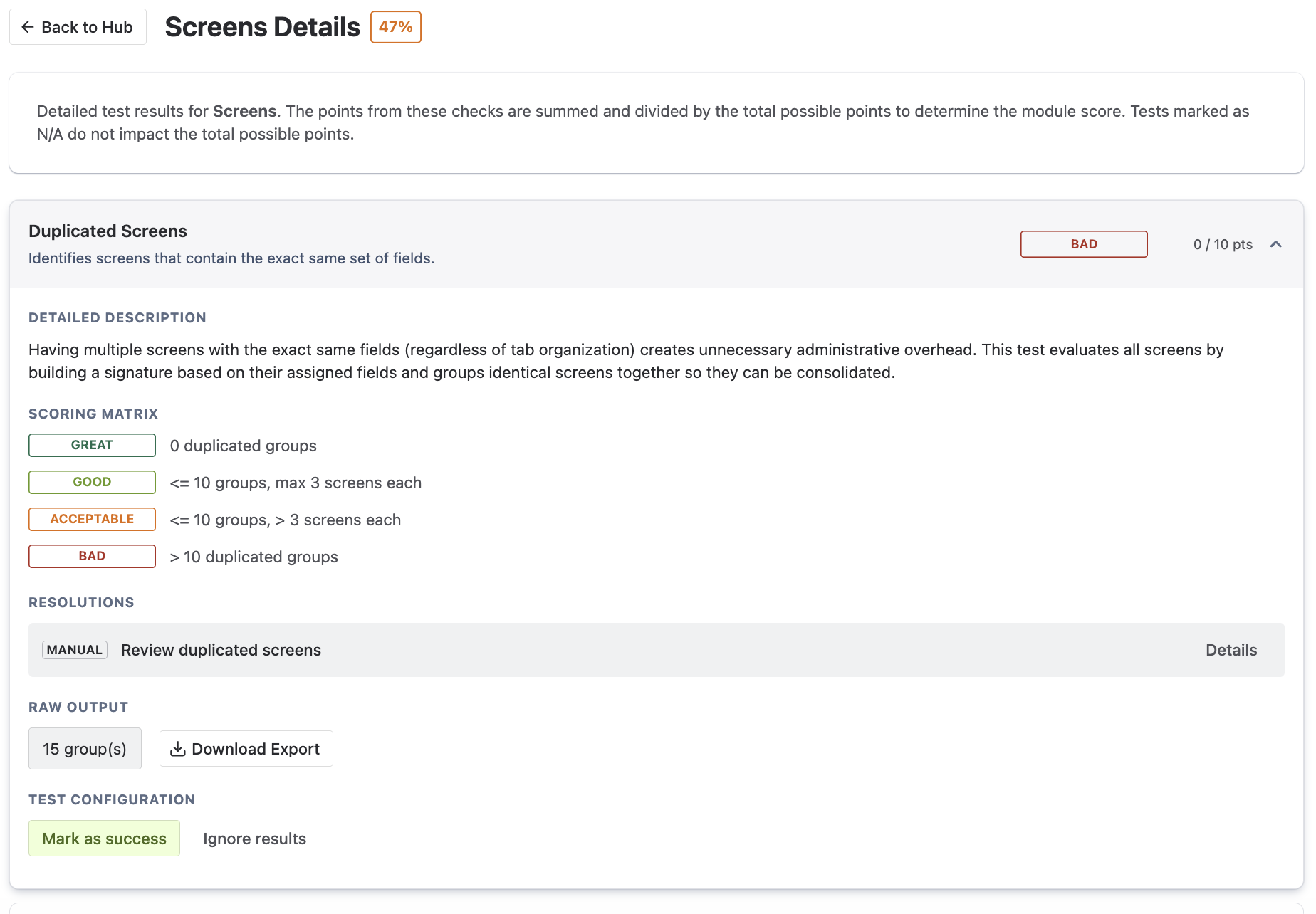
Expand any specific Module card to see the distinct Test cards populated inside it. Every individual Test card visualizes an immense amount of data:
- The Test Rating: A distinct performance grade (Great, Good, Acceptable, Bad) evaluating your specific instance cleanliness.
- Detailed Description: A comprehensive explanation natively detailing exactly what this test actively monitors and why.
- Scoring Matrix: The explicit criteria explaining exactly how your score is calculated based on the raw objects found.
- Resolutions: A set of natively provided remediation actions, whether Manual instructions or Automatic 1-click workflows, to eliminate the debt.
- Raw Output: Direct access to natively downloadable raw data structures (see the advanced section on Exporting raw data).
- Test Configuration: Immediate options to bypass test results entirely by forcefully ignoring a flag or explicitly forcing a success state (see the advanced section on Using test overrides).
Export to PDF
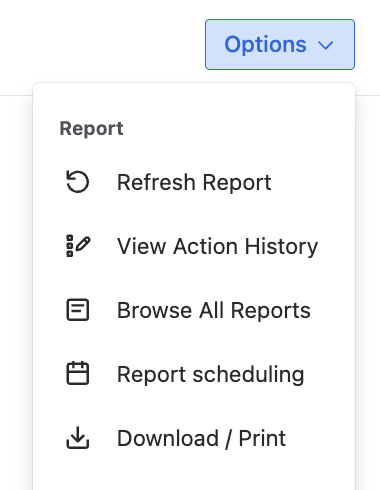
You don't need Jira Administrator access to understand Smart Admin metrics! Click the "Generate PDF" button to automatically bundle your comprehensive Report Hub dashboard into a beautiful, presentation-ready compliance document optimized for sharing with your executives or compliance stakeholders.
Leverage automatic actions
Don't just observe your configuration debt—eliminate it! Smart Admin's interface provides a secure, easy way to remediate clutter in two steps:
-
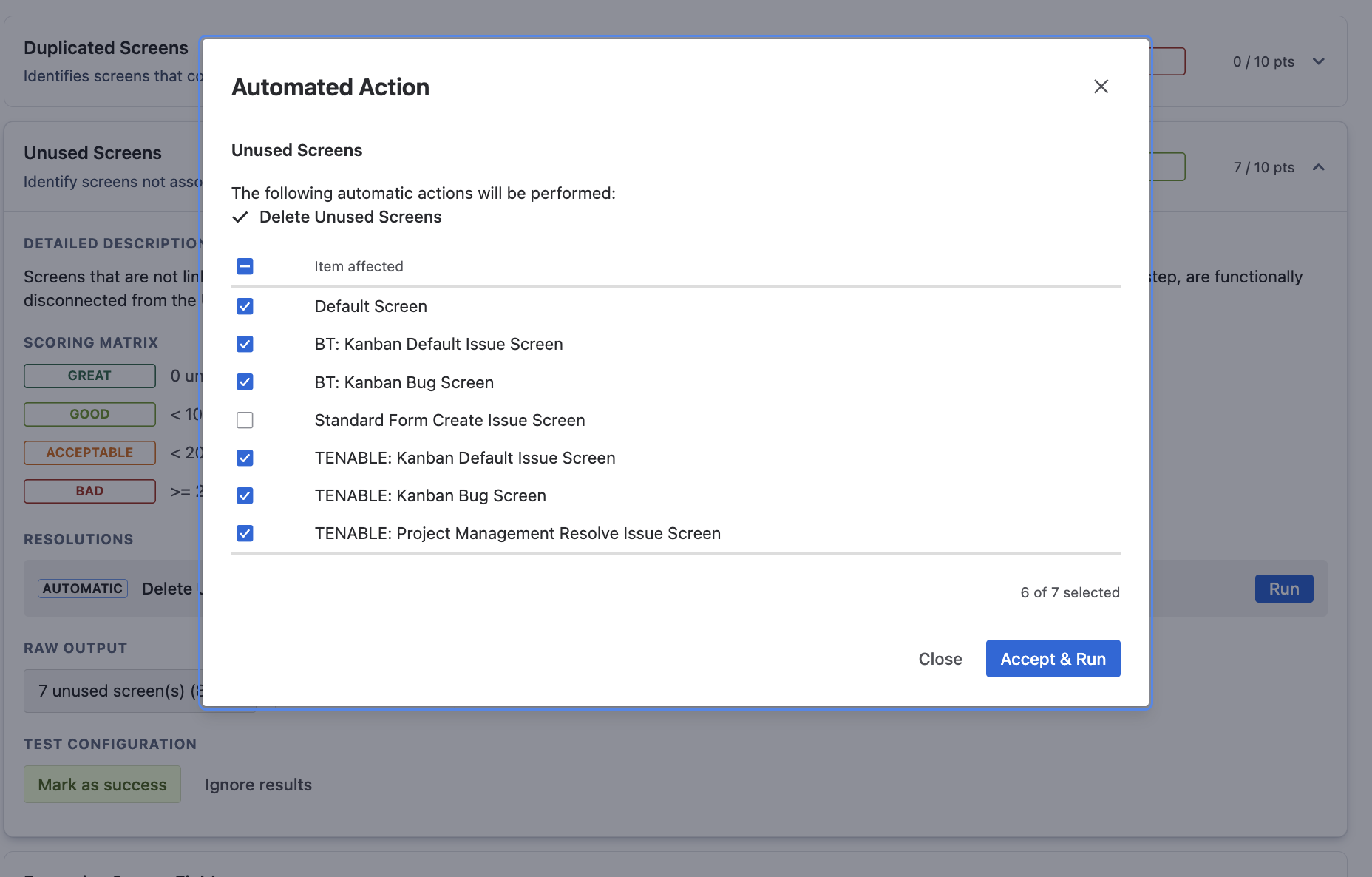
Erase Technical Debt: Next to explicitly flagged entities inside your test reports, utilize the automatic remediation buttons (e.g., "Delete Field" or "Archive Project"). Clicking these allows the engine to securely remove the item natively inside Jira on your behalf.
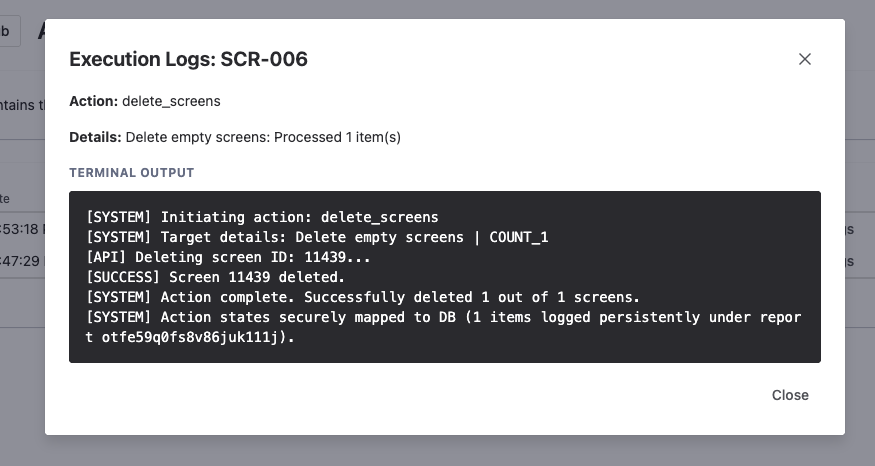
- Review the Audit Trail: Navigate strictly to the Action History Logs page. Every single deletion or modification executed by the engine is securely tracked here. You can review time-stamps and execution receipts natively providing a comprehensive auditing trail illustrating exactly who authorized what deletion action.
Browse historical reports
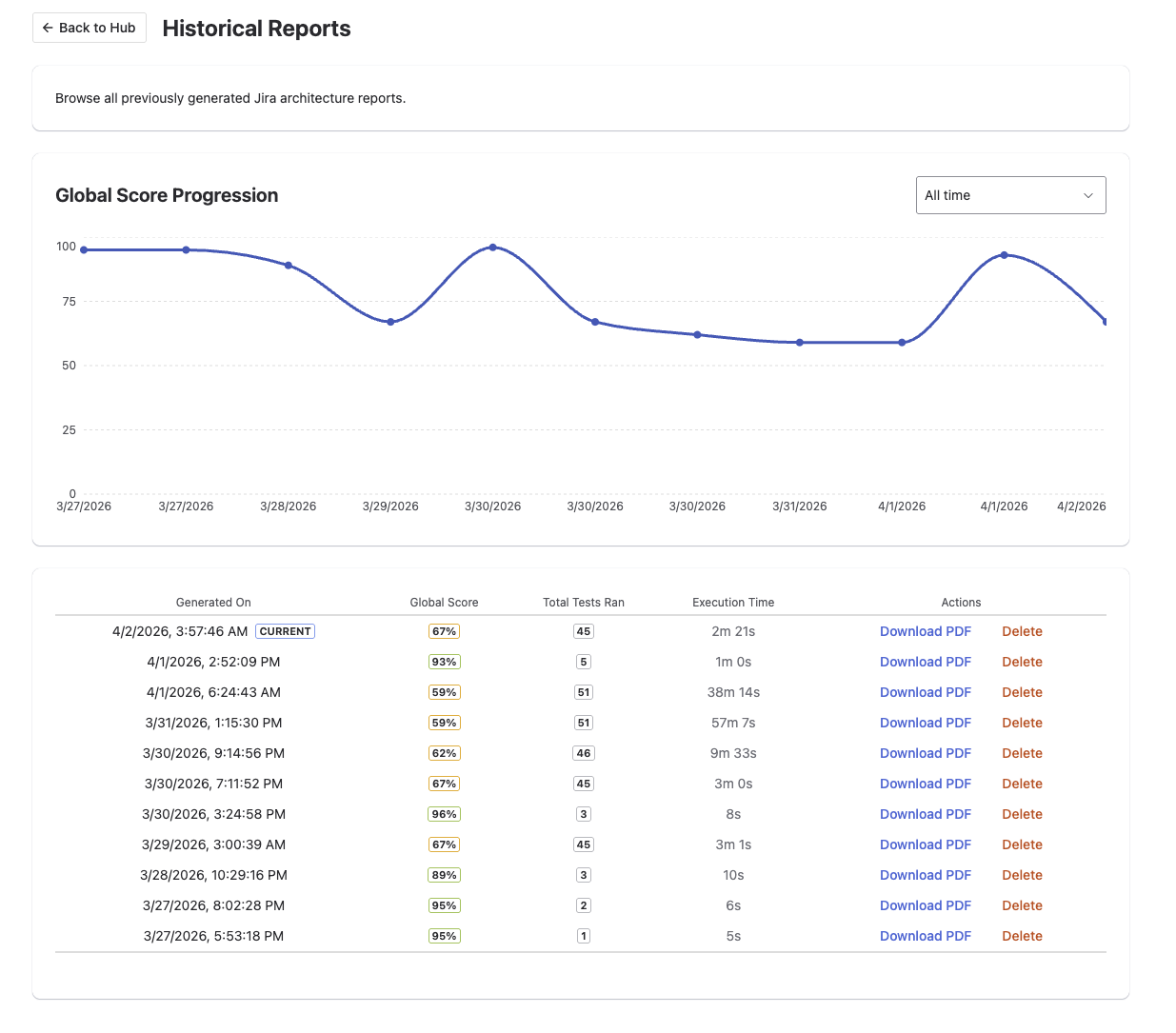
The Historical Reports tab is fundamentally designed to help administrators track the progress of their instance's health reliably over extended periods. You'll see a chronological timeline of your previous instances scans, validating how much configuration clutter you're successfully eliminating over time, with the added capability to natively download those previous reports securely at any time!